The Bark Mod Menu for Gorilla Tag — Features & Safe Setup Guide
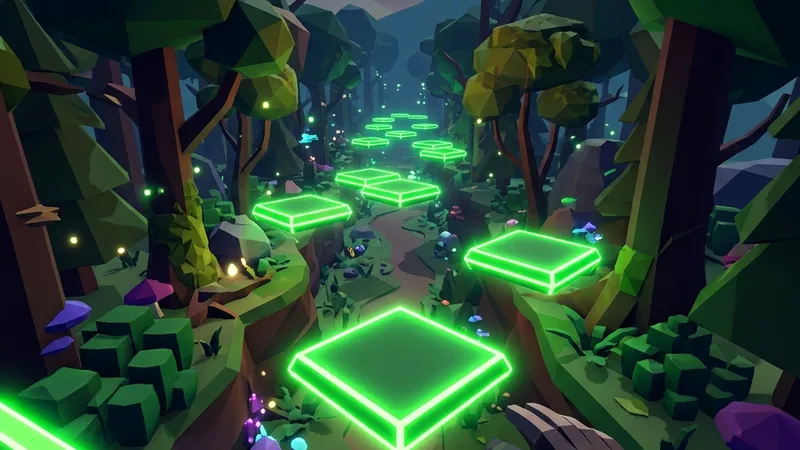
What Is The Bark Mod Menu?
The Bark Mod Menu is one of the most widely recognized and polished client-side modding utilities in the Gorilla Tag community. Developed to give players fluid, tactile control over their virtual reality avatar, Bark introduces an intuitive wrist-mounted menu system that lets you tweak physics parameters, test visual renderers, and experiment with movement mechanics directly inside your headset.
Unlike clunky legacy menus that require taking off your VR headset to edit text configuration files on your desktop, Bark was engineered from the ground up for VR immersion. With a simple flick of your wrist or a controller button tap, a floating holographic menu appears in front of your hand, enabling instant access to movement enhancements, camera tools, and fun experimental features.
Key Features of The Bark Mod Menu
- Intuitive Wrist-Mounted HUD: Glancing at your non-dominant hand opens a clean, responsive graphical user interface that follows your avatar naturally.
- Controlled Flight & Glide: Smooth, vector-based flight allowing you to explore map geometry, inspect elevated branches, and find secret vantage points.
- Custom Sticky Platforms: Spawn solid, colored platforms beneath your palms by squeezing your controller grip buttons, letting you walk on air or scale vertical walls.
- Camera & Spectator Tools: Provides customizable third-person camera angles with smooth follow algorithms, making it an essential companion for YouTubers and TikTok creators.
- Utilla Compliance: Built to respect room modding flags, automatically shutting down in official matchmaking lobbies to safeguard your account.
VR Controls & Keybindings
Operating Bark in VR feels natural once you understand the primary button mappings:
- Open / Close Menu: Turn your left hand palm-up toward your face, or hold the X Button (Quest) / Primary Button (Index/Rift).
- Select Options: Aim your right hand’s pointer beam at any menu button and squeeze the Right Index Trigger to toggle features on or off.
- Spawn Platforms: Hold the Left Grip or Right Grip button while in mid-air to instantly materialize a solid platform beneath that hand.
- Fly Mode: Hold the Right Primary Button and point your controller in the direction you want to travel.
Is The Bark Mod Menu Safe to Use?
Any modification that alters player movement can trigger anti-cheat detections if used irresponsibly. Another Axiom strictly enforces fair play across public matchmaking lobbies.
To ensure you never face account penalties or matchmaking bans:
- Never enter public lobbies with movement mods active. Always switch to dedicated private rooms or rooms created with modded gamemodes.
- Respect other players. Do not ruin the experience of vanilla players by using speed boosts or tag reach advantages against unwitting opponents.
- Download only verified releases. Avoid sketchy Discord servers offering “undetectable” cracked menus, as they often bundle malware or token loggers.
How to Install The Bark Mod Menu
Follow these instructions to install Bark on your Steam VR PC setup:
- Ensure BepInEx and Utilla are installed in your Gorilla Tag directory.
- Download
Bark-1.5.1.7zusing the verified download button below. - Open your Gorilla Tag game folder by navigating to:
C:\Program Files (x86)\Steam\steamapps\common\Gorilla Tag\BepInEx\plugins\ - Extract the Bark DLL file directly into the
pluginsfolder. - Launch Gorilla Tag through Steam VR and join a private custom lobby to test the menu.
Frequently Asked Questions
Why isn't Bark opening when I turn my wrist?
Can standalone Meta Quest players use Bark?
How do I customize the platform colors?
Ready to Download?
Click below to download this mod. Links point to the developer's official release (mod.io, GitHub) where available, or to an unmodified mirror of the original file when the official link is gone.
Recommended Modding Guides
Step-by-step tutorials to help you safely install, configure, and troubleshoot Gorilla Tag mods.
You Might Also Like
AZ Menu V6.5 for Gorilla Tag — Download & Install Guide
Feature-complete release of AZ Menu offering clean button triggers, customizable UI themes, and fast sticky platform controls.
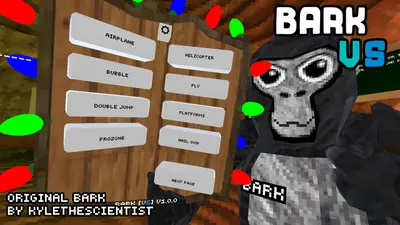
Bark V Stump Mod for Gorilla Tag — Download & Install Guide
Brings physical Bark menu stations directly into the main treehouse stump for interactive physical toggles inside VR.

RFVR Bronze Mod Menu for Gorilla Tag — Download & Install Guide
Lightweight, zero-lag mod menu engineered specifically for entry-level VR PCs, offering essential platforms and spectator controls.