Iron Lung Horror Map for Gorilla Tag — Download & Map Guide
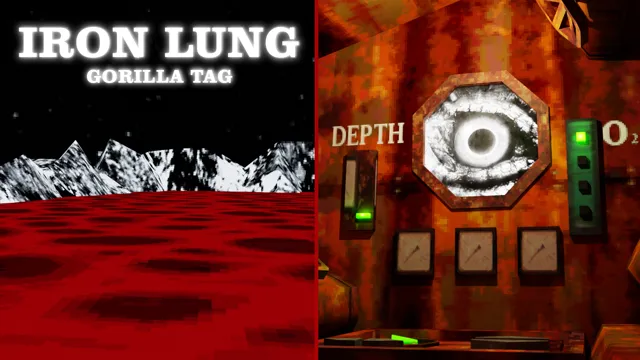
Mod Previews & Screenshots
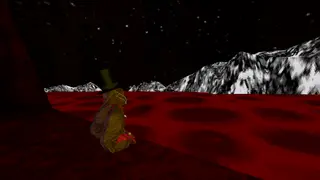
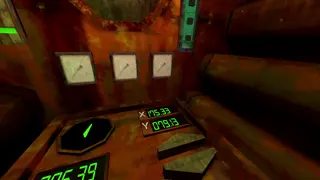
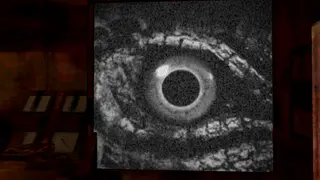
What Is Iron Lung Horror Map?
Iron Lung Horror Map is a custom-built community map that expands the world of Gorilla Tag far beyond the default boundaries of Forest, Caves, and Canyons. Created by talented community 3D level designers, this map loads a complete standalone virtual environment engineered specifically around the unique physical locomotion mechanics of Gorilla Tag.
Whether you are looking for challenging parkour routes to sharpen your wall-running consistency, an atmospheric horror playground for late-night infection matches, or a creative space to hang out with friends, Iron Lung Horror Map delivers a fresh, exciting gameplay experience.
Map Features & Highlights
- Custom 3D Level Geometry: Tailored platforms, climbing angles, and slide surfaces created to challenge VR player movement.
- Distinctive Visual Atmosphere: Custom lighting grids, skyboxes, and textures that give the arena its own memorable aesthetic.
- Optimized VR Performance: Balanced polygon counts and draw calls to ensure a locked 90+ FPS on PC VR headsets, avoiding motion sickness.
- Multiplayer Modded Rooms: Hop into the map with friends by sharing a private room code, allowing for custom tag matches and hide-and-seek.
- Monke Map Loader Compatible: Walk up to the treehouse computer, select the map, and step seamlessly through the portal.
How to Install and Play Iron Lung Horror Map
To play this map on your PC VR setup:
- Ensure BepInEx and Monke Map Loader are installed in your Gorilla Tag folder.
- Download the
Iron Lung Horror Mapmap package using the verified download button below. - Open your Gorilla Tag custom maps directory:
Gorilla Tag\BepInEx\plugins\CustomMaps\ - Move the downloaded
.gtmapfile directly into theCustomMapsfolder. - Launch Gorilla Tag through Steam VR. Walk over to the map loader terminal in the treehouse, highlight Iron Lung Horror Map, and step through the portal!
Gameplay & Exploration Tips
- Learn the Escape Routes: Because custom maps feature unconventional geometry, take time to explore blind spots and vertical shortcuts before starting competitive tag matches.
- Adjust VR Turn Settings: Some areas require rapid 180-degree maneuvers. Ensure your smooth or snap turning settings in the treehouse are dialed to your comfort level.
- Host Private Games: Custom maps shine brightest when played in private rooms with friends where everyone shares the same physics expectations.
Frequently Asked Questions
How do my friends join me on this map?
Why is the map lagging or causing frame drops?
Ready to Download?
Click below to download this mod. Links point to the developer's official release (mod.io, GitHub) where available, or to an unmodified mirror of the original file when the official link is gone.
Recommended Modding Guides
Step-by-step tutorials to help you safely install, configure, and troubleshoot Gorilla Tag mods.
You Might Also Like
100 Stage Obby Parkour Map for Gorilla Tag — Download & Map Guide
Massive 100-stage parkour gauntlet testing your precision branch hops, vertical wall running, and momentum control.
ABOVE THE CLOUDS (Only Up) for Gorilla Tag — Download & Install Guide
Download ABOVE THE CLOUDS (Only Up) for Gorilla Tag for free. Read our step-by-step setup guide and access direct download links for maps.
Above the Clouds (Knockout) for Gorilla Tag — Download & Install Guide
Download Above the Clouds (Knockout) for Gorilla Tag for free. Read our step-by-step setup guide and access direct download links for maps.