Oculus Report Menu for Gorilla Tag — Download & Install Guide
What Is the Oculus Report Menu?
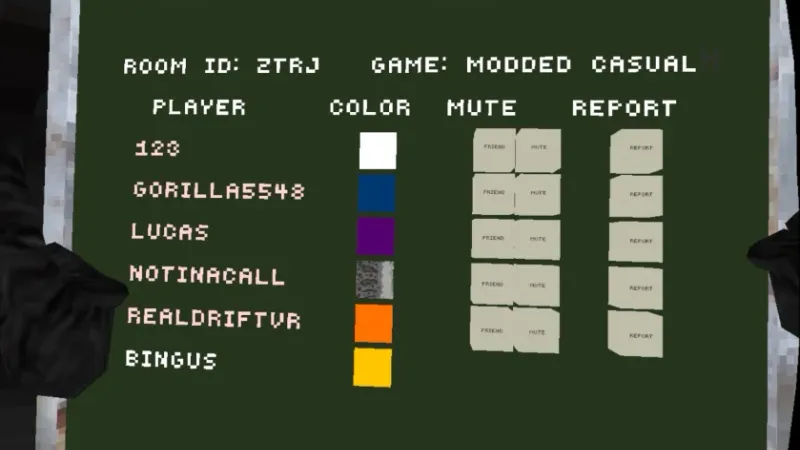
The Oculus Report Menu is a utility mod that gives you a portable, in-game panel for viewing player information in Gorilla Tag lobbies. Instead of running back to the treehouse computer every time you want to check the lobby, you get a menu you can pull up anywhere on the map.
It mirrors the kind of information the in-game report and leaderboard screens show - who is in the lobby, player names, colors, and reporting options - in a floating interface you control. For lobby hosts and moderators of private rooms, it saves a lot of walking.
Key Features
- Portable player list: See everyone in the current lobby from anywhere on the map.
- Report access on the go: Reach the report function without returning to the treehouse terminal.
- Lightweight overlay: Simple, readable interface that does not clutter your view while climbing or tagging.
- Pairs with mod menus: Works alongside popular mod menus and Computer Interface without conflicts in most setups.
Is the Oculus Report Menu Safe?
The panel only reads and displays lobby information that the game already exposes through its own screens - it does not modify other players, movement, or matchmaking. Used normally, that keeps it in the low-risk category.
The usual rules still apply: mods belong in private or modded lobbies, and anything visible in public matchmaking can put your account at risk. Follow Another Axiom’s Terms of Service and keep modded sessions out of vanilla queues.
How to Install the Oculus Report Menu (PC)
- Install BepInEx first if you have not already - every PC Gorilla Tag mod needs it.
- Download the mod with the button at the bottom of this page.
- Extract the archive and locate the plugin
.dllfile. - Drop the
.dllintoGorilla Tag/BepInEx/plugins/. - Start Gorilla Tag via Steam and join a private or modded lobby. The menu toggle appears according to the mod’s default binding.
Frequently Asked Questions
Does this work on standalone Quest?
Can I report players in public lobbies with it?
The menu does not appear after installing. What should I check?
Ready to Download?
Click below to download this mod. Links point to the developer's official release (mod.io, GitHub) where available, or to an unmodified mirror of the original file when the official link is gone.
Recommended Modding Guides
Step-by-step tutorials to help you safely install, configure, and troubleshoot Gorilla Tag mods.
You Might Also Like
APE ARENA for Gorilla Tag — Download & Install Guide
Download APE ARENA for Gorilla Tag for free. Read our step-by-step setup guide and access direct download links for gameplay.

Banana Platforms Mod for Gorilla Tag — Download & Guide
Spawn curved glowing banana peel platforms beneath your hands with controller grips to climb into the sky and walk on air.
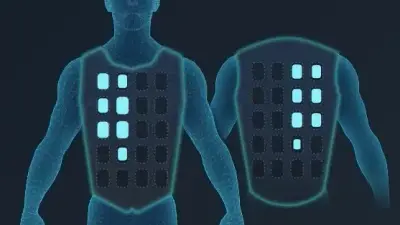
bHaptics Integration Mod for Gorilla Tag — Haptic Suit & Tactile Feedback
Download bHaptics Integration Mod for Gorilla Tag. Connect your TactSuit, TactSleeve, and TactVisor for full physical feedback on tag impacts and surface hits.