Kman Mod Menu for Gorilla Tag — Lightweight Private Dashboard & Guide
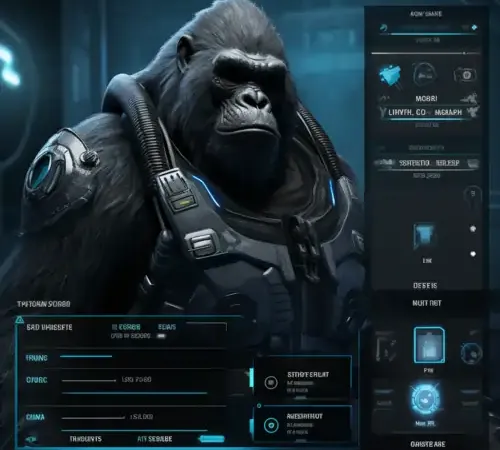
What Is Kman Mod Menu?
The Kman Mod Menu is a community-developed utility dashboard built specifically for players with lower-spec PC VR systems. While many feature-heavy mod menus trigger noticeable frame drops, tracking stutters, and memory leaks, Kman’s menu was written with streamlined code loops and zero heavy transparency shaders.
It offers a responsive, floating control pad that mounts cleanly to your left virtual controller wrist, providing room diagnostics, private lobby helpers, and customizable color profiles.
Technical Features & In-Game Controls
- Low-Overhead Architecture: Uses native Unity UI canvas primitives to ensure 0% impact on your VR headset’s frame rate.
- Wrist Mount Toggle: Press your Left Controller Secondary Grip (Y/B) to bring up the compact 4-column menu matrix.
- Haptic Vibration Feedback: Your controller provides a sharp, tactile buzz whenever a button is clicked in 3D space.
- Private Room Utilities: Easily test custom jump multipliers and friction damping when practicing competitive wall-running routes.
- Auto-Lobby Protection: Detects public vanilla queues and immediately freezes all menu interactions to prevent accidental reports.
Strict Anti-Cheat Notice
Never use gameplay modification menus in public Gorilla Tag lobbies. Another Axiom actively detects unauthorized physics packets and will issue immediate account bans to players reported for using menu scripts in public matchmaking.
To stay safe:
- Only launch Kman Menu inside private custom rooms created for mod testing.
- Confirm your room status displays
MODDEDon the treehouse computer board. - Keep mods uninstalled when playing competitive infection or hunt modes.
PC VR Installation Guide
- Ensure BepInEx 5.4.21+ and Utilla are installed on your PC.
- Download
KmanMenu.dllusing the link below. - Move the DLL file into:
C:\Program Files (x86)\Steam\steamapps\common\Gorilla Tag\BepInEx\plugins\ - Launch Gorilla Tag through SteamVR and join a private custom lobby code to test.
Ready to Download?
Click below to download this mod. Links point to the developer's official release (mod.io, GitHub) where available, or to an unmodified mirror of the original file when the official link is gone.
Recommended Modding Guides
Step-by-step tutorials to help you safely install, configure, and troubleshoot Gorilla Tag mods.
You Might Also Like
AZ Menu V6.5 for Gorilla Tag — Download & Install Guide
Feature-complete release of AZ Menu offering clean button triggers, customizable UI themes, and fast sticky platform controls.
The Bark Mod Menu for Gorilla Tag — Features & Safe Setup Guide
Download The Bark Mod Menu for Gorilla Tag. Master VR wrist controls, flight mechanics, custom platforms, and essential lobby safety guidelines.
Bark V Stump Mod for Gorilla Tag — Download & Install Guide
Brings physical Bark menu stations directly into the main treehouse stump for interactive physical toggles inside VR.