BepInEx for Gorilla Tag — Essential PCVR Mod Loader Guide
What Is BepInEx?
BepInEx is the industry-standard, open-source modding utility and plug-in framework built specifically for Unity-based games. In the Gorilla Tag ecosystem, BepInEx serves as the indispensable foundation upon which every single PC VR mod is constructed. Without BepInEx installed in your game directory, Gorilla Tag will simply run in pure vanilla mode, ignoring any custom scripts or tools you download.
BepInEx functions by hooking directly into Unity’s winhttp.dll startup sequence. When Gorilla Tag launches through Steam or the Oculus PC app, BepInEx initializes first, creates an isolated memory space, and systematically loads all custom .dll files placed inside your BepInEx/plugins/ folder.
Core Features & Architecture
- Universal Plugin Directory: Establishes the standardized
Gorilla Tag/BepInEx/plugins/folder where all mod menus, map loaders, cosmetic engines, and sound packs reside. - HarmonyX Method Patching: Includes Harmony, an advanced runtime patching library that allows mod developers to hook into the game’s internal C# methods without permanently modifying core game executables.
- Real-Time Diagnostic Console: Features an optional developer console window that prints live startup logs, helping you instantly pinpoint which mod failed to load or caused a crash.
- Automated Configuration Generator: Automatically outputs human-readable
.cfgfiles inBepInEx/config/for every active mod, letting you edit keybindings, sliders, and preferences from your desktop.
Is BepInEx Safe?
Yes, BepInEx is 100% open-source, safe, and audited by thousands of software engineers across hundreds of Unity modding communities worldwide. It contains zero spyware, crypto miners, or malicious code.
However, BepInEx is merely a framework—it runs whatever mods you choose to put into its plugins folder. Always download individual mods from reputable community platforms to ensure they do not violate Another Axiom’s Terms of Service.
Step-by-Step Installation Guide (PCVR)
- Open Steam, navigate to your Library, right-click Gorilla Tag, hover over Manage, and select Browse local files. This will open your root game directory:
C:\Program Files (x86)\Steam\steamapps\common\Gorilla Tag\ - Download the BepInEx release archive (
BepInEx_x64_5.4.22.0.zip) using the download button below. - Open the downloaded ZIP file and extract all contents (
BepInExfolder,doorstop_config.ini,winhttp.dll, andchangelog.txt) straight into the root Gorilla Tag folder. - Launch Gorilla Tag once through Steam. Allow the game to reach the main menu, then exit. This initial run allows BepInEx to generate its essential subfolders.
- You will now see a newly generated
BepInEx\plugins\directory ready to receive your favorite mods!
Frequently Asked Questions
How do I know if BepInEx is installed correctly?
Why did my mods stop working after a game update?
Ready to Download?
Click below to download this mod. Links point to the developer's official release (mod.io, GitHub) where available, or to an unmodified mirror of the original file when the official link is gone.
Recommended Modding Guides
Step-by-step tutorials to help you safely install, configure, and troubleshoot Gorilla Tag mods.
You Might Also Like
Computer Interface v2.0.1 for Gorilla Tag — Terminal Upgrade Guide
Download Computer Interface v2.0.1 for Gorilla Tag. Upgrade your in-game terminal with custom wallpapers, mod settings menus, and multi-page UI.
BepInEx Setup & Installation Utility for Gorilla Tag — Download & Guide
Quick-start guide and automated setup archive for installing BepInEx on Steam VR and Oculus PC.
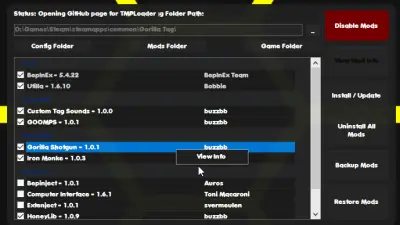
Monke Mod Manager for Gorilla Tag — Automated PC Installer & Setup Guide
Download Monke Mod Manager for Gorilla Tag on PC. The premier 1-click installer for BepInEx, Utilla, Gorilla Cosmetics, and custom map loaders.