Monke Map Loader for Gorilla Tag — Custom Maps & Portal Setup
What Is Monke Map Loader?
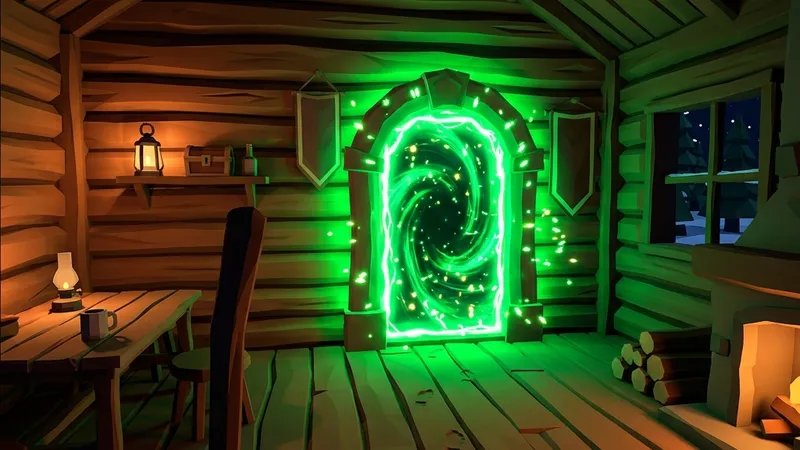
Monke Map Loader is the foundational tool that transformed Gorilla Tag from a game with a handful of default environments into an endless sandbox of community-built worlds. Created by developer ToniMacaroni, this mod integrates a dedicated map teleporter portal right next to the treehouse computer terminal.
With Monke Map Loader installed, you can download hundreds of community .gtmap files—ranging from 100-stage parkour obbies and Mario 64 castles to eerie horror mansions—and load them on the fly. Stepping through the neon portal instantly teleports you and your friends into the custom world.
Key Features
- In-Game Map Browser: Use the treehouse computer terminal to cycle through your entire collection of downloaded maps with live thumbnails and author info.
- Seamless Portal Teleportation: Step physically through the glowing doorway in the treehouse to enter any loaded map without resetting your game session.
- Custom Gravity & Lighting Support: Allows map creators to program unique low-gravity zones, custom skyboxes, slide surfaces, and dynamic light sources.
- Multiplayer Modded Rooms: Connect to private room codes to explore custom maps, play infection tag, or race friends across custom obstacle courses.
How to Install Custom Maps with Monke Map Loader
- Ensure BepInEx, Utilla, and ComputerInterface are installed on your PC.
- Download
MonkeMapLoader.zipbelow and extract it into:Gorilla Tag\BepInEx\plugins\ - Launch the game once to allow the mod to create the
CustomMapsdirectory. - Download any custom map file ending in
.gtmapfrom our Maps catalog. - Place the downloaded
.gtmapfiles into:Gorilla Tag\BepInEx\plugins\CustomMaps\ - Return to the treehouse, select your map on the terminal screen, and jump through the portal!
Frequently Asked Questions
Why doesn't the portal teleport me?
Can I play custom maps on standalone Quest?
Ready to Download?
Click below to download this mod. Links point to the developer's official release (mod.io, GitHub) where available, or to an unmodified mirror of the original file when the official link is gone.
Recommended Modding Guides
Step-by-step tutorials to help you safely install, configure, and troubleshoot Gorilla Tag mods.
You Might Also Like
BepInEx for Gorilla Tag — Essential PCVR Mod Loader Guide
Download BepInEx 5.4.22 for Gorilla Tag free. The required PCVR mod loader - full install guide, plugins folder setup, and fixes for common errors.
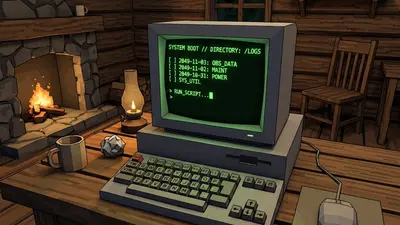
Computer Interface v2.0.1 for Gorilla Tag — Terminal Upgrade Guide
Download Computer Interface v2.0.1 for Gorilla Tag. Upgrade your in-game terminal with custom wallpapers, mod settings menus, and multi-page UI.
BepInEx Setup & Installation Utility for Gorilla Tag — Download & Guide
Quick-start guide and automated setup archive for installing BepInEx on Steam VR and Oculus PC.